Last verified: July 2026
China runs on two payment apps, and cash is close to useless in daily life. This guide walks you through setting up Alipay with a card from your home bank — before you land — including the fees nobody warns you about, the limits that actually apply in 2026, and what to do when your card gets rejected.
What is Alipay?
Alipay (支付宝, “zhī fù bǎo”) is China’s biggest payment app — think of it as the payment layer of daily life in China rather than just an app. Over a billion people use it to pay for everything from a ¥6 bubble tea to rent, by scanning QR codes with their phones. For you as a visitor, it matters for one simple reason: most Chinese merchants can’t take your physical Visa or Mastercard, but every single one of them takes Alipay — and Alipay can now be linked directly to an international card. It’s the bridge between your usual bank account and China’s cashless economy.
The short version
You do not need a Chinese bank account, a bank card issued in China, or a Chinese phone number. Download the Alipay app at home, verify your identity with your passport, link an international Visa or Mastercard (Amex, JCB, Discover, Diners Club and international UnionPay also work), and you can pay for almost everything in China — street food, taxis, high-speed rail, hotels — by scanning QR codes.
Two things to know upfront:
- Set it up — and verify your passport — before you fly. You can technically skip verification for small amounts, but any real trip crosses the $500 threshold where it becomes required, and you don’t want that prompt appearing mid-payment. Doing everything at home also means your banking SMS codes arrive without roaming issues.
- There’s a 3% fee on payments over ¥200 (roughly $28 / £22). Payments of ¥200 or under are fee-free. More on how this actually works below.
Why you can’t just use your card like in Japan or Europe
Card terminals barely exist outside international hotel chains and airports. Chinese daily commerce — from a ¥6 bubble tea stall to a ¥600 restaurant bill — runs on QR codes linked to Alipay (支付宝) or WeChat Pay (微信支付). Contactless Visa/Mastercard tap-to-pay, Apple Pay and Google Pay are effectively not accepted at ordinary merchants.
Until a few years ago, travelers from outside mainland China were locked out of this system. That changed: both platforms now accept international cards directly, and the setup has become genuinely straightforward — if you know the sequence and the traps.
This guide covers Alipay. It’s the better first choice for visitors: the English interface is more complete, verification is smoother, and it has built-in tourist tools (train tickets, ride-hailing, translation). We recommend also setting up WeChat Pay as a backup.
Before you start: a 5-minute checklist
- Your passport (physical, valid — you’ll photograph the data page)
- Your home phone number, able to receive SMS (keep your home SIM active or reachable; you’ll need it for bank verification codes too)
- A Visa or Mastercard — credit or debit. Amex, JCB, Discover, Diners Club and internationally issued UnionPay cards also work.
- Tell your bank you’re going to China. This is the single most common failure point. The first charge from “Alipay / Hangzhou, China” looks like fraud to many Western banks and gets auto-blocked. One call or an in-app travel notice prevents it.
- Download the app: use the official Alipay app, not AlipayHK. If the buttons below do not open your local store, search for Alipay – Simplify Your Life by Alipay (Hangzhou) Technology Co., Ltd.
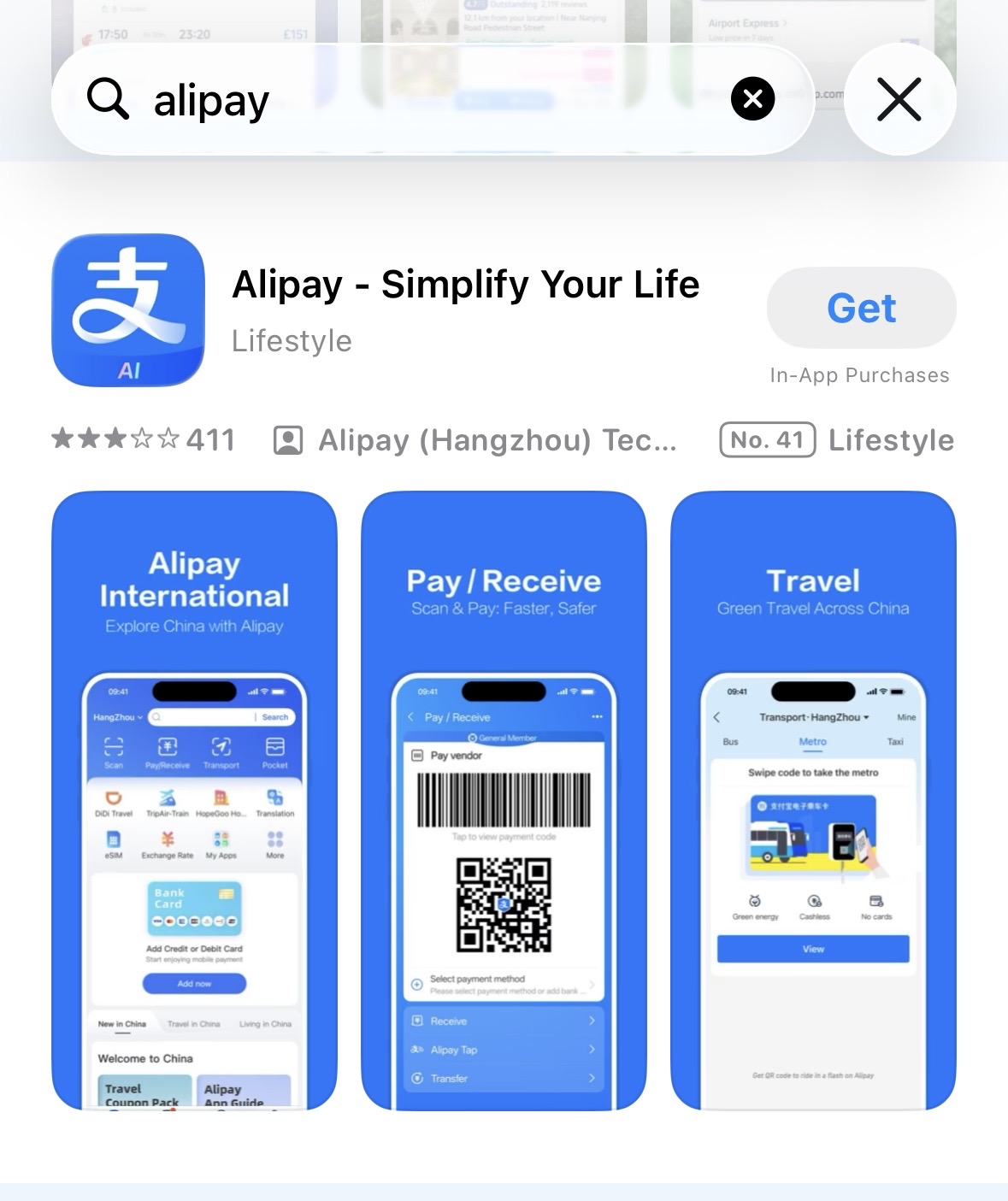
Look for the official Alipay listing before installing. Do not install AlipayHK for this setup.
Step 1: Register your account
Open the app, tap Sign up, choose your country’s area code, and register with your home mobile number. You’ll get an SMS code to confirm.
The interface will offer an international/English version during onboarding — take it. You can switch languages later in settings (Me → Settings → General → Language).
Step 2: Verify your identity (do it now, not later)
Here’s how verification actually works — and why we recommend doing it upfront anyway:
You can link a card and start paying without identity verification for small amounts. Officially, once your transactions pass $500, Alipay requires you to verify your account with your passport. In practice, this trigger is inconsistent — some travelers get the verification prompt early, others sail past $500 without ever being asked. Don’t build your plan around either outcome.
Our advice is simple: verify at home, before you fly. Almost any real trip to China blows past $500, and the worst place to get hit with a verification prompt is mid-payment — at a train ticket counter, at hotel checkout, with a line behind you. Verification done calmly at home takes a few minutes; verification done in a panic at the register is how people end up on Reddit asking for help.
The process:
- Go to Me → Profile → Identity Information (or follow the prompt when it appears)
- Photograph your passport data page — the whole page, sharp, no glare, with the machine-readable lines at the bottom clearly legible
- Complete a short facial-recognition scan — plain background, no glasses, no hat
It usually clears automatically within minutes; allow up to 72 hours in edge cases — another reason to do it days before departure rather than at the airport.
If verification fails: it’s almost always the name format or image quality. Your name must be entered Surname + Given Name, exactly as printed on your passport. Retake the photo in daylight, and retry the face scan without glasses.
Step 3: Link your card
- Go to Me → Bank Cards → Add now (or tap the “Add bank card” banner on the home screen)
- Enter your card number — Alipay detects the card network automatically and tells you immediately if the card type isn’t supported
- Fill in the expiration date, CVV, and your billing details exactly as your bank has them
- You may be redirected to your bank’s 3D-Secure page for a one-time code — this is the step that fails if you haven’t notified your bank
The card binds in real time. Once you see it listed under Bank Cards, you’re operational.
The fees, explained honestly
This is what most guides fudge, so here it is plainly:
Alipay’s own fee: payments of ¥200 or less are free. Any single payment over ¥200 incurs a 3% service fee, calculated on the full amount — not just the portion above ¥200. A ¥500 dinner costs you ¥515. The fee is shown on the payment screen before you confirm, so there are no invisible charges.
The fee rule at a glance
No Alipay service fee. This covers most snacks, cafes, metro rides, taxis and convenience-store purchases.
Alipay adds 3% to the full amount before you confirm. Your own card issuer may still add its own fee.
Exception: internationally issued UnionPay cards are exempt from this service fee. If you happen to hold one (some UK/EU banks and many Asian banks issue them), bind it for large payments.
If a purchase is refunded, the service fee is refunded proportionally along with it — you don’t lose the 3% on a canceled order.
Your bank’s fee: separate from Alipay, your card issuer may add an international transaction fee of 1–3% plus its exchange-rate margin. This is entirely your bank’s doing. If you have a no-FX-fee travel card (Wise, Revolut, Chase UK, most travel credit cards), use that — you’ll pay only Alipay’s 3% on larger payments and nothing extra on small ones.
Practical fee strategy:
- Everyday spending (food, metro, taxis, convenience stores) is almost always under ¥200 per payment — genuinely fee-free
- For big-ticket items (hotels, rail tickets, shopping), the 3% applies. Where a hotel accepts card payment at the desk on an international terminal, paying there may be cheaper
- Where a purchase naturally splits (two people eating), separate payments under ¥200 each avoid the fee legitimately
Limits in 2026
- Without identity verification: usable up to around $500 in total transactions — after that, verification is required (in practice the prompt is enforced inconsistently, but treat $500 as the line)
- With verification (passport): single transaction up to $5,000, annual total $50,000
For context: $5,000 per payment covers virtually anything a traveler buys — five-star hotel bills, first-class rail, serious shopping. Most travelers will never come close to these limits; your own bank’s daily card limit is more likely to matter.
Watch out for guides citing a ¥5,000 (~$700) single-payment cap — that’s an outdated figure from the earlier rules. And remember your own bank’s daily card limits still apply; in practice they’re often the binding constraint, not Alipay’s.
How to actually pay: the two QR flows
There are exactly two ways every payment in China happens. Learn both and you’re covered everywhere.
From download to your first payment
Option 1 — You scan them (merchant QR on the wall/counter): Tap Scan (top-left of home screen) → point at the merchant’s printed QR code → enter the amount (or it’s pre-filled) → confirm. Common at street stalls, small shops, taxis.
Option 2 — They scan you (payment code): Tap Pay/Collect → a barcode/QR appears on your screen → cashier scans it with their gun scanner → done. Common at supermarkets, chain stores, convenience stores.
If a cashier says something and gestures at your phone, they want Option 2. The phrase you’ll hear is “扫码” (sǎo mǎ — scan the code).
What an international card can and can’t do
Works: shop payments, restaurants, taxis and DiDi, metro/bus QR in 50+ cities, high-speed rail tickets (via the Rail & Flights mini-program), food delivery, attraction tickets, hotel payments.
Doesn’t work: person-to-person transfers, sending or receiving red packets (hongbao), topping up an Alipay balance, wealth-management features. These require a Chinese bank account — for a visitor, they mostly don’t matter. The one real-world gap is paying an individual (a private guide, a market seller who only takes transfers) — for those cases, see the TourCard section below or carry a small cash reserve.
TourCard: backup only, not first choice
Older guides push “TourPass/TourCard” — a prepaid virtual card inside Alipay — as the tourist solution. In 2026, treat it strictly as a fallback:
- Every top-up costs a 5% fee (vs. 3% max with direct card binding)
- Unused balance is refunded to your card at the prevailing rate, taking 3–7 business days
Use it only if your bank refuses to authorize direct Alipay charges after you’ve tried everything in the troubleshooting section, or if you need the person-to-person transfer capability a directly linked card lacks.
Troubleshooting: the five most common failures
1. Card declined at binding. Your bank blocked it. Call them (or approve the flagged transaction in your banking app), then retry. This solves the majority of binding failures.
2. Verification stuck/rejected. Three fixes, in order: (a) check your name is entered in Surname + Given Name format exactly as printed on your passport — this is the most common rejection cause; (b) retake the passport photo — full data page, sharp, daylight, no glare on the laminate — and if you hold a Chinese visa, upload the visa page as well; (c) if it still fails, call Alipay’s English-language service line (+86 571 2688 6000) for a manual review.
3. Payment fails at the register despite everything working before. Sometimes a specific merchant’s account can’t route international cards. Don’t argue — try your WeChat Pay backup, or ask “现金可以吗?” (xiànjīn kěyǐ ma — can I pay cash?). This is rare in 2026 and mostly hits tiny rural merchants.
4. Risk-control block. Repeated failed attempts can trigger a temporary block. First response: stop retrying, wait 24 hours, try again. If the account is properly frozen (not just cooling down), the unfreeze process is: submit your passport, your entry stamp, and proof of your address in China (hotel booking or rental contract) through the in-app appeal. Manual review takes 3–5 business days — another reason to have WeChat Pay set up as a backup.
5. No SMS codes arriving. Your home SIM needs roaming enabled to receive bank OTPs in China. Sort this before departure — an eSIM for data plus your home SIM for SMS is the standard setup.
FAQ
Do I need a VPN for Alipay? No. Alipay is a Chinese app and works perfectly on Chinese networks.
Does Alipay work for the metro and buses? Yes — the Transport section generates a transit QR in 50+ cities including Beijing, Shanghai, Guangzhou and Shenzhen.
Can I book train tickets through it? Yes, via the in-app rail booking, which connects to the China's rail booking network.
Alipay or WeChat Pay — which one? Set up both, lead with Alipay. Acceptance is near-identical; Alipay’s English support and tourist features are stronger. Occasionally a merchant displays only one QR type, and having both means never being stuck.
Can I withdraw money from Alipay back to my home bank account? No. Any balance that ends up in the app from an international card can’t be withdrawn — it can only be spent. Another reason to prefer direct card binding (charged per payment, nothing sits in the app) over prepaid top-ups.
Is it safe? Payments are confirmed with your face or password, the fee is displayed before you confirm, and your card details aren’t shown to merchants. Basic security practice still applies: set a payment password and enable biometric confirmation.
Who do I call when something breaks? Alipay’s official hotline is 95188 (+86 95188 from a SIM outside mainland China). For English-language support, call +86 571 2688 6000. Save both numbers before you travel.
Before you move
Practical setup for China
The small systems that make the next transfer work: payment, transport, maps, luggage and live conditions.PaymentSet up payment before arrival
Link an international card to Alipay or Weixin Pay, then keep a bank card or RMB cash as a backup.
Open official serviceIntercity railPrepare China rail travel
Keep every passenger name identical to the passport, confirm the correct station and watch the live ticket sales window.
Open official serviceMaps & networkPrepare the phone, data and addresses
Save hotel and station addresses in Chinese, install a data option and test the map workflow before the first transfer.
Open official serviceWeather & alertsCheck the national forecast
Recheck heat, rain, snow and mountain conditions before every long transfer.
Open official service